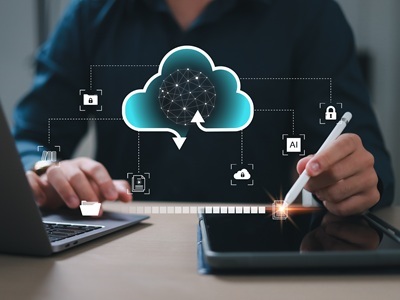
The full circle of data is a beautiful thing. Data synchronization from phones to computers and the cloud is often overlooked and underutilized in digital forensics. It really hit home as I began researching a case where I had to recreate a scenario with an iPhone that is logged into a Chrome browser. Everything done on the mobile phone that is associated with Chrome syncs to Google Cloud and then goes back to a PC. Now, consider Outlook and Microsoft 365 – all the data syncs constantly. Through this testing, I am exploring: can you tell which device is being used when visiting YouTube, WhatsApp, Discord, Slack and other apps? Can you tell if the user is on the phone? Can you tell if the PC is in use?
You can if you know what to look for, and this is where we use our tools. When parsing the data in Cellebrite Inseyets Physical Analyzer, many apps, for example, will show you a person’s head, which indicates a mobile phone, or a PC icon, showing a computer.
The Device Worlds Must Come Together
We live in a mobile world and when conducting forensic investigations on a computer, properly analyzing applications can be a blind spot for many. We know our mobile forensics and we know it well, yet we learn so much more when we take the data in totality. The worlds must collide.
The kind of crimes involving PCs can really range from white collar crimes to murder. Consider offenders who view and/or possess child sexual abuse material – much of that viewing takes place on a PC. And sadly, these crimes happen in workplaces, too, as getting caught by an employer can feel less risky than a significant other. Consider if one’s business email is compromised or there is IP theft in an organization. Or in violent crimes, perhaps research was conducted on a PC. Often, this data is linked to multiple devices.
Consider the importance of understanding exactly where wrongdoing occurred. If I am checking my Gmail while driving down the street, my location data on my phone or vehicle would tell you where I was at the time.
What the User Thinks is Hidden
There are key artifacts on a PC that help tell the truth about what someone is doing. If I wanted to cover my tracks on my computer, I would clear browser history right away, yet it doesn't mean it's actually gone. Deleted files and databases can be located, and the data is not really gone until it’s purged from the database. In corporate cases where a bad actor wants to plug in a USB to steal a bunch of information from my work computer, there are USB transactions. If someone were to clear that USB transaction, that too is tracked in an event log.
And what is truly fascinating is these event logs track everything that you delete, even if you empty your Outlook trash can, it's tracked in an event log. If you clear event logs, you guessed it: there's an event log stating you cleared your event logs. Windows is great at tracking all the things a user is trying to do to hide data. When it comes to Macs, it’s completely different, and tracking is done in a different manner.
Finding the Hidden Data
Cellebrite Inspector is aptly named, as it can be used to help identify what the user thinks is hidden. This solution can run on both Mac and Windows, and it takes a deep dive into the file systems of PCs and Macs. You can filter, gain quick insights into key artifacts of interest, examine the Windows Registry, examine plists on Macs, keyword search, dig into the file systems and dive into Hex.
So next time the evidence just isn’t adding up – consider how the data may have synced across devices and dig for it. The data always leads you to the truth.
About the author
Heather Barnhart is the Senior Director of Forensic Research at Cellebrite and SANS Institute fellow. She advises on strategic digital intelligence operations and educates both the public and industry professionals on the latest challenges in the space and how Cellebrite helps address them. For more than 23 years, Heather has worked on high-profile cases, investigating everything from child exploitation to Osama Bin Laden’s digital media. She has helped law enforcement, eDiscovery firms and the federal government extract and manually decode artifacts used in solving investigations around the world.